Stagewick is a complete Flutter UI kit for an events and ticketing business: 2 phone apps (Attendee app and Organiser & door staff app) and 2 desktop admin panels (Box office admin and Super admin). 136 screens in clean Flutter code with no third-party packages, plus the matching Figma design file as a bonus.
Open the live demo and try every screen in your browser.
Demo Instructions
Live demo: https://uikits.appzenic.com/stagewick/
- Choose a role on the start page (for example the customer app or the admin panel) and open any screen from its list.
- Login is open to everyone: no account or sign-up is needed.
- On any sign-in screen you can use Email: demo@example.com and Password: Demo1234, then tap Sign in. Any other email and password also work, and you can leave the fields empty.
- This is a UI kit with sample data and no backend, so nothing you type is sent or saved.
4 apps, 136 screens
- Attendee app (mobile, 47 screens): onboarding, sign in, create account, verify phone, forgot password, your interests, discover, music, search results, filters, near me, this weekend, no events found, event detail, venue, line-up, choose tickets, pick seats, review and pay, payment failed, you are going, tickets, ticket, transfer ticket, ticket sent, refund options, resale status, event cancelled, refund status, on the waitlist, RSVP confirmed, interested, organiser page, rate the event, notifications, event updates, account, personal details, payment methods, add a card, sold out, receipt, wallet, offline, invite friends, settings, help.
- Organiser and door staff app (mobile, 35 screens): sign in, become an organiser, forgot password, organiser details, waiting for verification, home, my events, new event: basics, new event: date and venue, new event: images, new event: tickets, sent for review, manage event, sales, attendees, attendee, send an update, promo codes, check-in scanner, ticket valid, already used, check in by number, live counts, door staff, cancel event, event cancelled, payouts, payout account, organiser profile, notifications, edit profile, reviews, help, settings, offline.
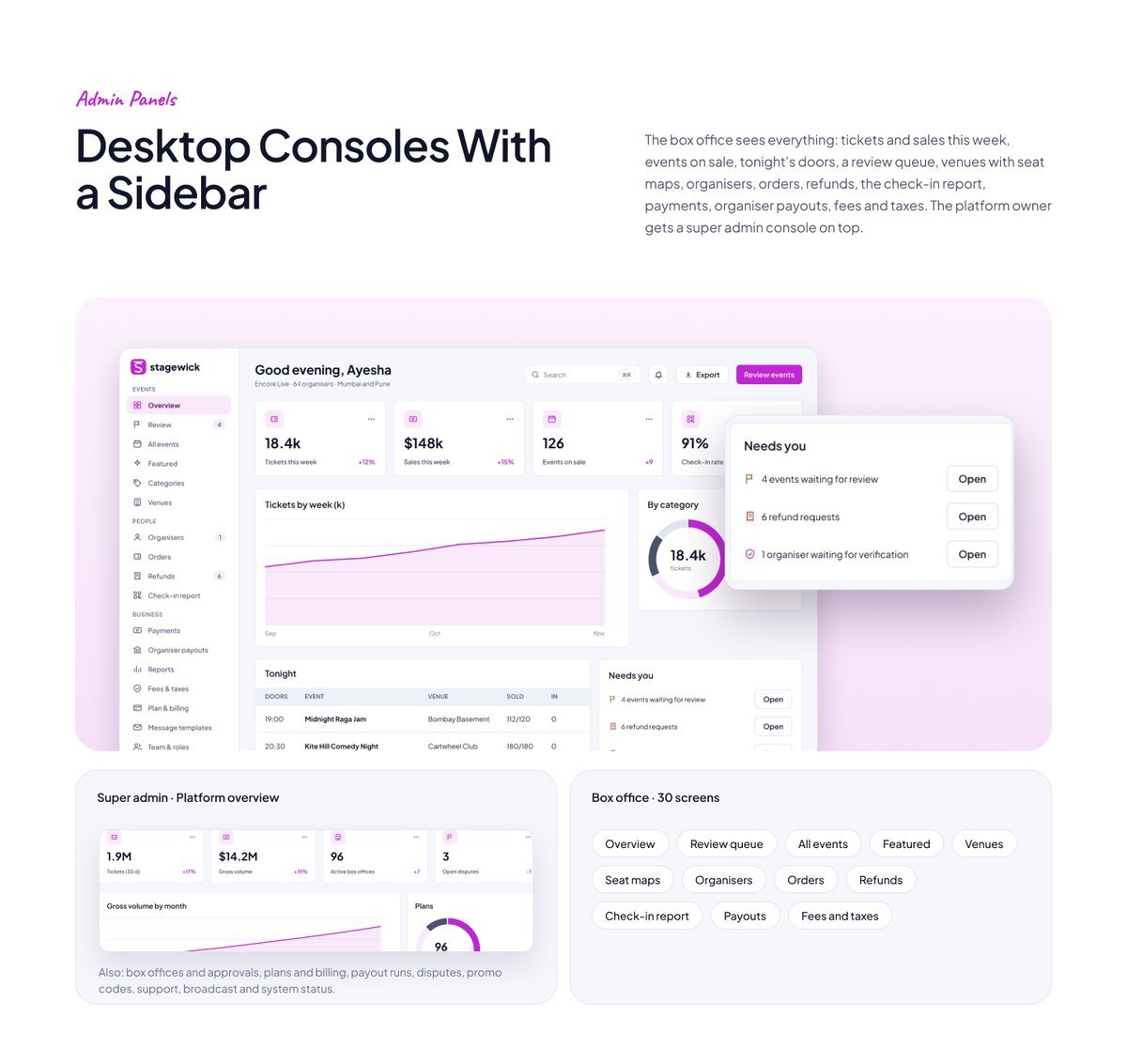
- Box office admin (desktop, 30 screens): sign in, overview, review queue, publish event, all events, featured, categories, add category, venues, add venue, seat map editor, organisers, verify organiser, organiser detail, orders, order, refunds, refund, check-in report, payments, organiser payouts, reports, fees and taxes, plan and billing, message templates, team and roles, activity log, settings, invite organiser, setup checklist.
- Super admin (desktop, 24 screens): sign in, overview, box offices, approve box office, plans and billing, payouts, disputes, support, broadcast, team and roles, activity log, system status, settings, box office detail, organisers, attendees, orders, dispute detail, ticket detail, plan editor, payout run detail, category catalogue, promo codes, suspend box office.
Discover What's On
Browse by category, search with filters, see events near you on a map or just this weekend, and open an event with its venue, line-up, age limit and tickets left.

Tickets, Seats and Pay
Choose ticket types, pick seats on a seat map, pay by UPI or card with a clear booking fee, and get the tickets in the app. Sold out, waitlist and failed payments are designed too.

Scan In, Transfer, Resell
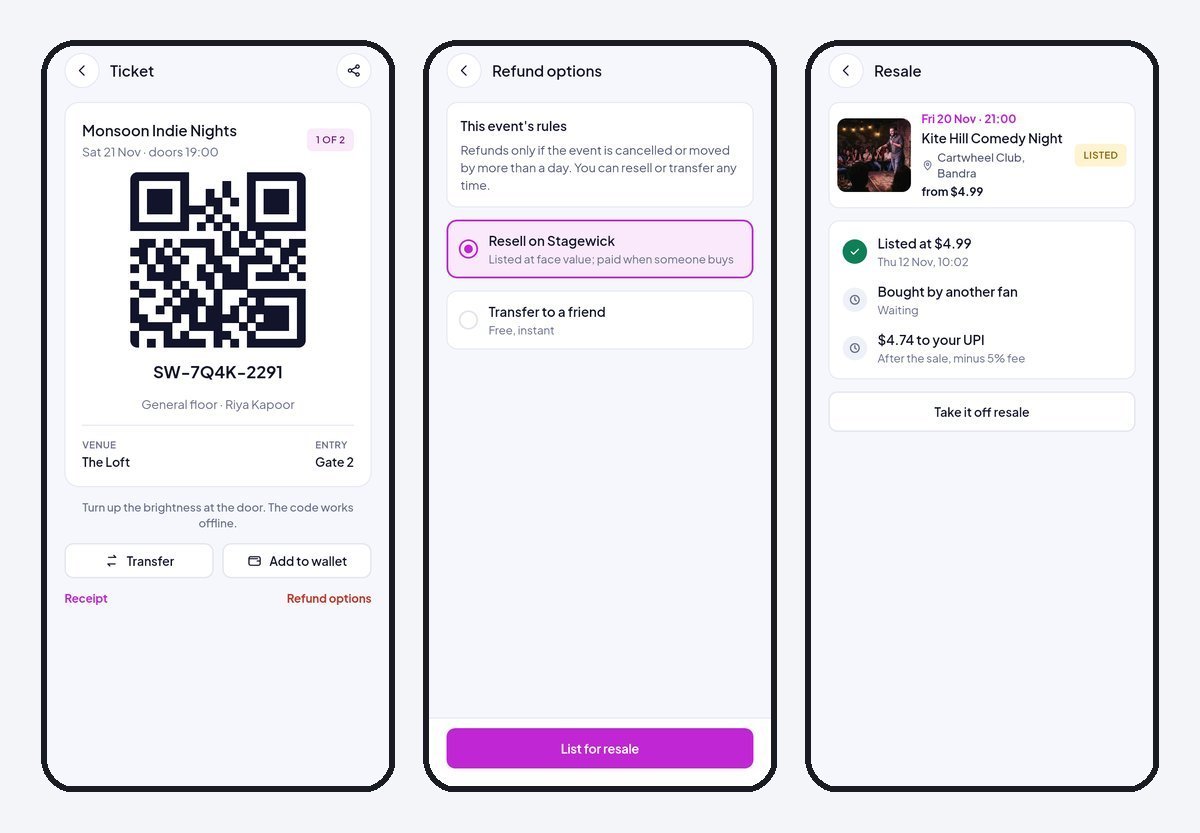
A ticket with a scan code that works offline, transfer to a friend, resell at face value, refund options, and clear states when an event is cancelled or moved.
Organisers Sell and Scan From a Phone
A home with the next event and sales, a 4-step event builder, sales by ticket type, attendees, updates to every ticket holder, promo codes, a door scanner, live counts and payouts.

Desktop Consoles With a Sidebar
The box office sees everything: tickets and sales this week, events on sale, tonight's doors, a review queue, venues with seat maps, organisers, orders, refunds, the check-in report, payments, organiser payouts, fees and taxes. The platform owner gets a super admin console on top.
Clean Flutter code
- Only the Flutter SDK: no third-party packages, no network calls, no API keys. Run flutter pub get and flutter run.
- One theme: colours, text styles, control heights and radii live in token files. Change the primary colour once and every screen follows.
- A shared component library: buttons, chips, inputs, badges, switches, segmented controls, navigation bars, sidebar, tables, charts, modals and drawers. A Components page shows every variant.
- Every screen is reachable and works like a prototype: tabs, switches, chips and links respond.
- Responsive: phones from 360 pt, tablets, and desktop panels from 1024 pt. Below 900 pt the sidebar becomes a drawer, cards reflow and tables scroll sideways.
- Tested: every screen renders without overflow at phone, tablet and desktop sizes, and a test taps every button and link. flutter analyze reports 0 issues.
- All amounts in US dollars; sample names and cities from around the world.
What you get
- The full Flutter project (Android, iOS and web).
- Documentation: requirements, installation, folder structure, how to re-theme, how to add a screen, and the screen list per role.
- Bonus: the matching Figma design file (photo-free edition).
Requirements
This is a UI kit (front end only) without backend functionality: no server, database, user accounts or payments are included, and every screen shows sample data. To build it you need a current stable Flutter 3 release, plus Android Studio or Xcode for mobile builds. No other packages, accounts or API keys are needed.
Notes
This is a UI kit: there is no backend or payment gateway. Photo slots in the download are neutral placeholders for your own images; the sample photos appear in the demo and previews only.


