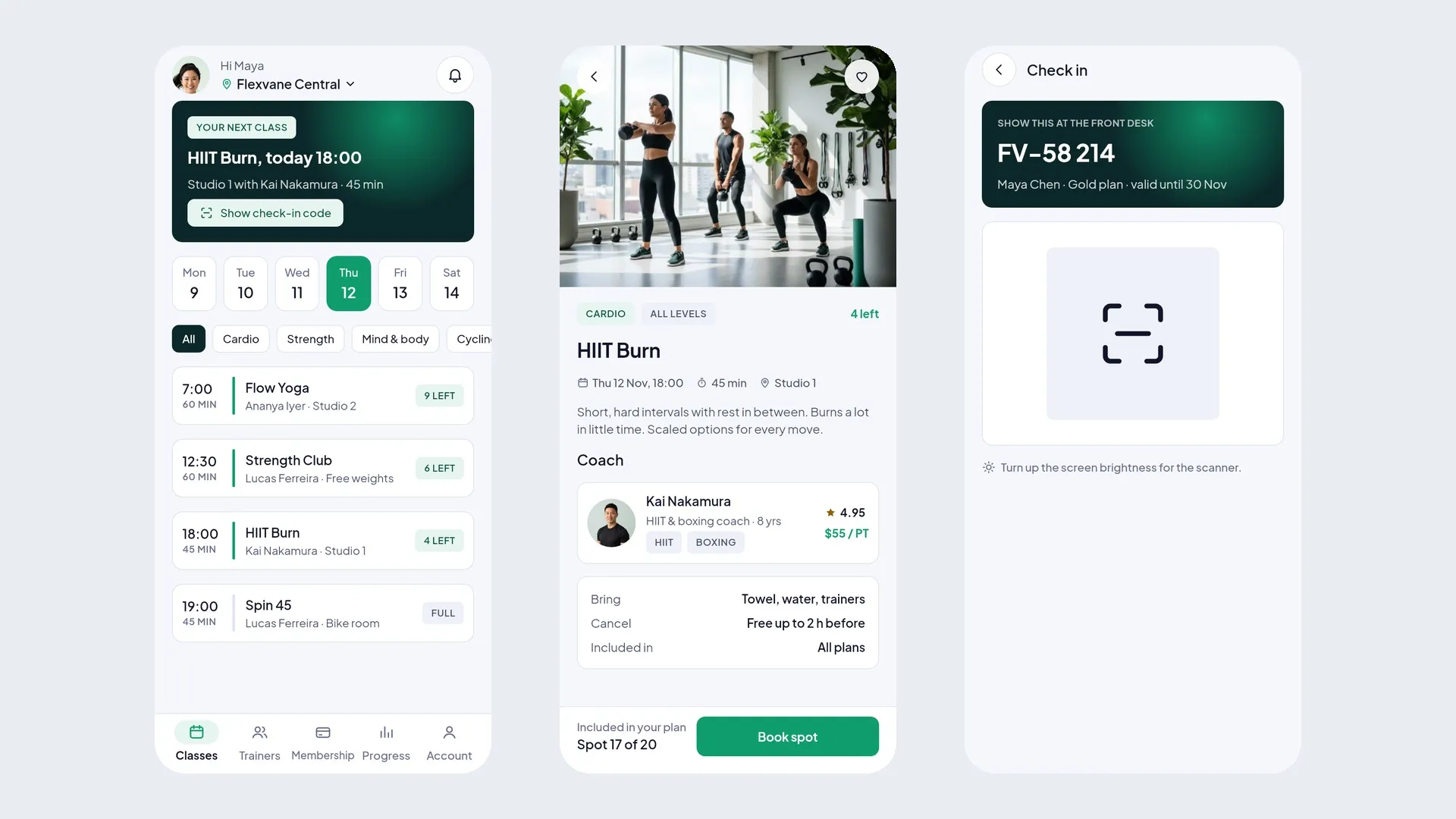
PuppyCabin is a complete Flutter UI kit for vet and pet care: 2 phone apps (Pet parent app and Vet app) and 2 desktop admin panels (Clinic admin and Super admin). 138 screens in clean Flutter code with no third-party packages, plus the matching Figma design file as a bonus.
Open the live demo and try every screen in your browser.
Demo Instructions
Live demo: https://uikits.appzenic.com/puppycabin/
- Choose a role on the start page (for example the customer app or the admin panel) and open any screen from its list.
- Login is open to everyone: no account or sign-up is needed.
- On any sign-in screen you can use Email: demo@example.com and Password: Demo1234, then tap Sign in. Any other email and password also work, and you can leave the fields empty.
- This is a UI kit with sample data and no backend, so nothing you type is sent or saved.
4 apps, 138 screens
- Pet parent app (mobile, 51 screens): onboarding, sign in, create account, verify phone, forgot password, add a pet, pet health, home, my pets, pet profile, health records, vaccines, weight, reminders, book care, find a vet, filters, vet profile, pick a time, visit details, review and pay, payment failed, visit booked, my visits, visit detail, move or cancel, video visit, visit summary, prescription, grooming, grooming review, boarding, boarding review, daycare report, shop, product, cart, order placed, orders, autoship, messages, chat, notifications, me, payment methods, receipt, rate the visit, settings, help, no visits yet, offline.
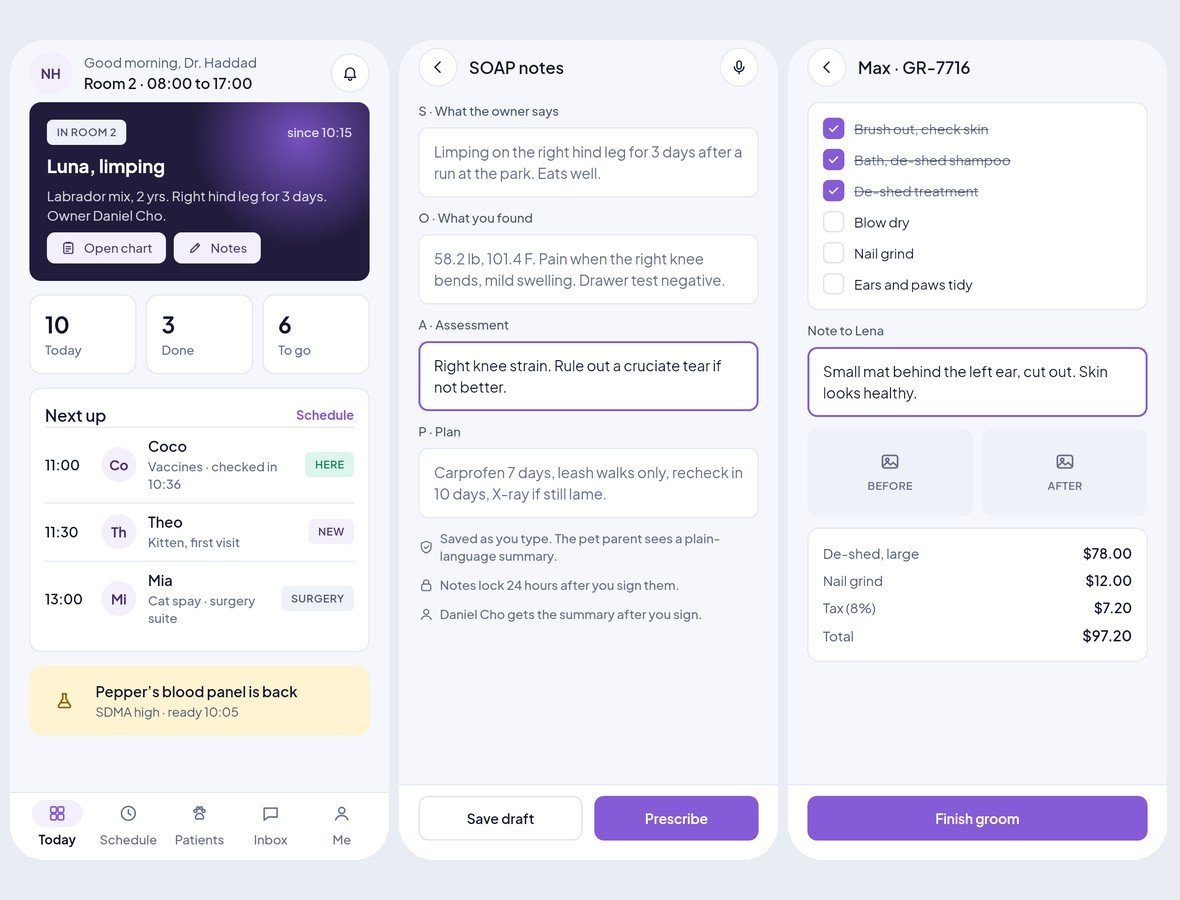
- Vet app (mobile, 32 screens): sign in, today, schedule, waiting room, appointment, patient chart, vitals, SOAP notes, prescription, visit summary sent, vaccines given, lab results, video visit, patients, inbox, chat, notifications, grooming today, grooming checklist, groom finished, boarding today, care log, report card, earnings, availability, me, settings, help, forgot password, offline, day off, switch user.
- Clinic admin (desktop, 31 screens): sign in, overview, calendar, appointment, appointments, new appointment, cancel and refund, patients, patient, pet parents, pet parent detail, staff, invite staff, services and pricing, edit price, boarding, boarding stay, daycare, inventory, restock order, shop orders, promos, payments, reports, reviews, reminders, hours and holidays, plan and billing, team and roles, activity log, settings.
- Super admin (desktop, 24 screens): sign in, overview, clinics, approve clinic, plans and billing, payouts, disputes, support, broadcast, team and roles, activity log, system status, settings, clinic detail, vets, pet parents, appointments, dispute detail, ticket detail, plan editor, payout run detail, species and services, promo codes, suspend clinic.
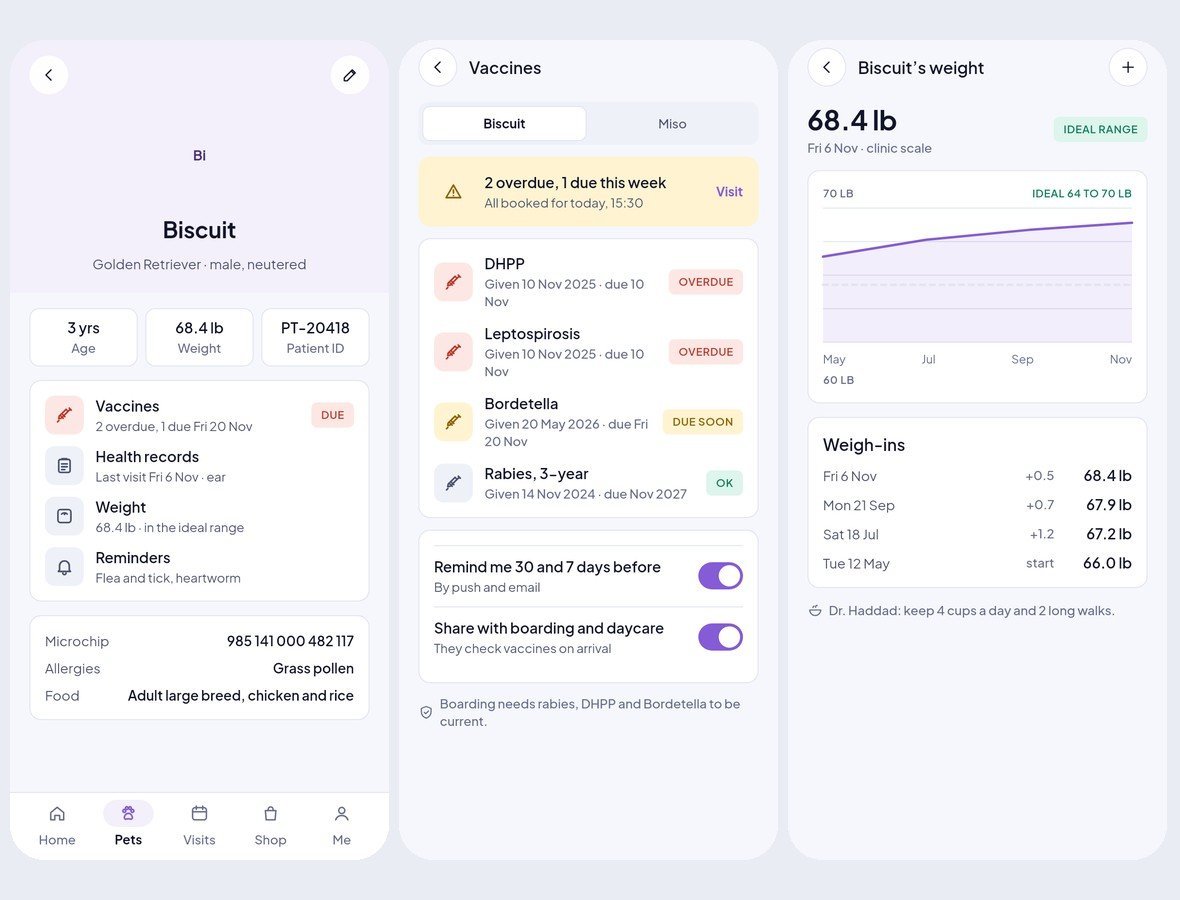
Every Pet's Health in One Place
A pet profile with age, weight and patient ID, a health record timeline, vaccines with overdue and due-soon states and reminders, a weight chart against the ideal range, and medicine and care reminders.
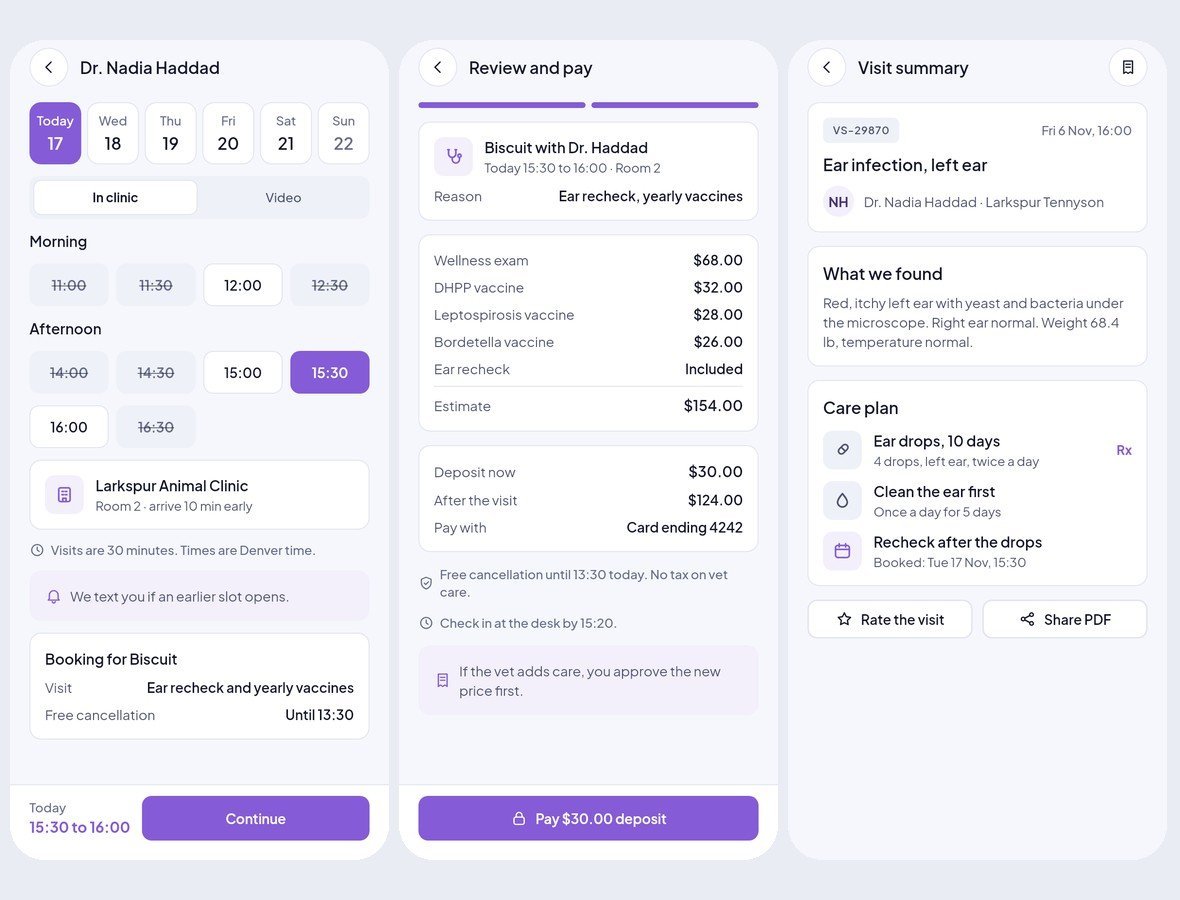
Book the Vet, In Clinic or by Video
Find a vet, see fees and the clinic on a map, pick a free time, add the reason and photos, pay a deposit against the estimate, then open a check-in code. After the visit: a summary, the prescription and a receipt.
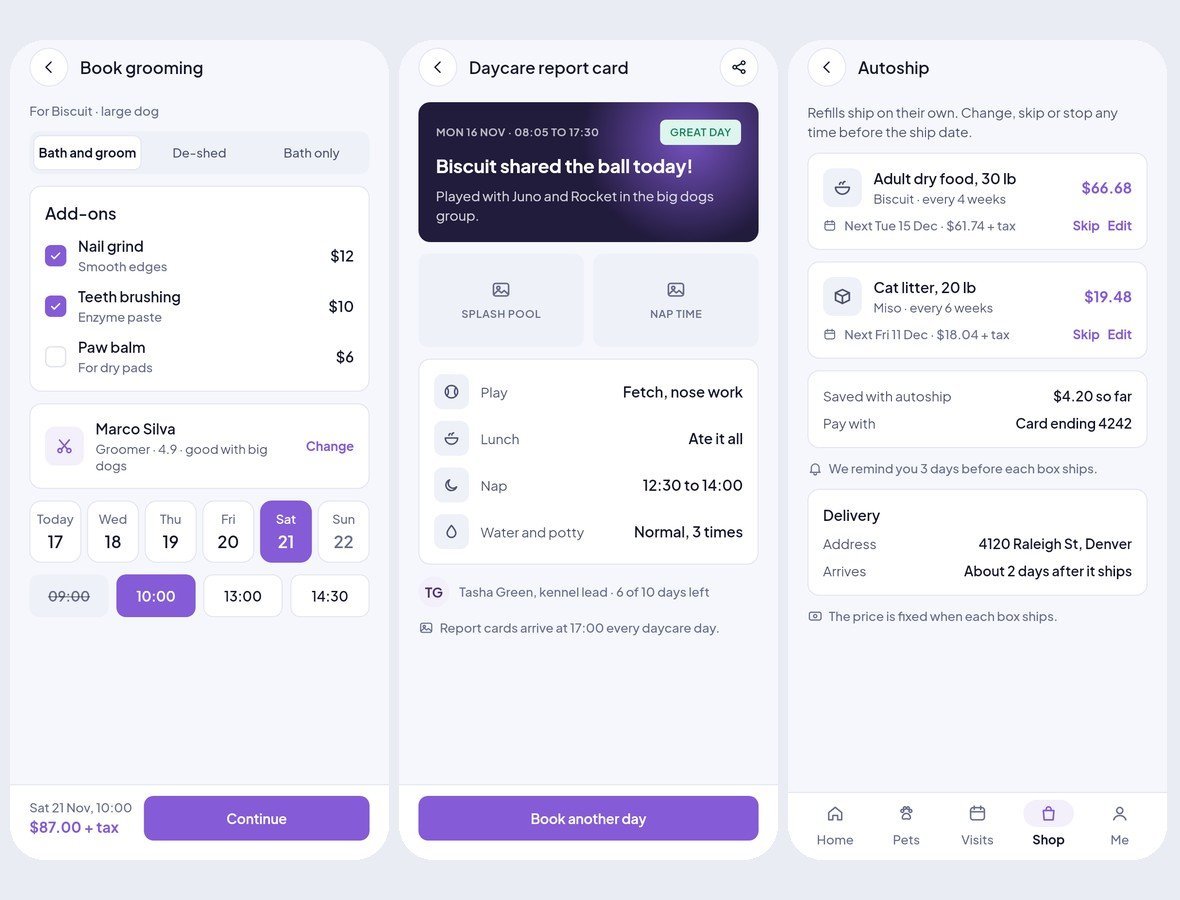
Grooming, Boarding, Daycare and the Shop
Book a groom with add-ons, a lodge stay with a vaccine check, read the daycare report card, and order food, chews and litter with autoship refills that can be skipped any time.
Vets and Groomers Work From a Phone
Today's patients and the waiting room, the patient chart with vitals, SOAP notes, prescriptions and vaccines with lot numbers, lab results and video visits. Groomers tick off a checklist with before and after photos, and the lodge keeps a care log and report cards.
Desktop Consoles With a Sidebar
The clinic sees every vet and grooming table on a calendar board, manages appointments, refunds, patients and pet parents, staff, services and prices, the boarding kennels and daycare, inventory and restocking, shop orders and autoship, promos, payouts and reports. The platform owner gets a super admin console on top.

Clean Flutter code
- Only the Flutter SDK: no third-party packages, no network calls, no API keys. Run flutter pub get and flutter run.
- One theme: colours, text styles, control heights and radii live in token files. Change the primary colour once and every screen follows.
- A shared component library: buttons, chips, inputs, badges, switches, segmented controls, navigation bars, sidebar, tables, charts, modals and drawers. A Components page shows every variant.
- Every screen is reachable and works like a prototype: tabs, switches, chips and links respond.
- Responsive: phones from 360 pt, tablets, and desktop panels from 1024 pt. Below 900 pt the sidebar becomes a drawer, cards reflow and tables scroll sideways.
- Tested: every screen renders without overflow at phone, tablet and desktop sizes, and a test taps every button and link. flutter analyze reports 0 issues.
- All amounts in US dollars; sample names and cities from around the world.
What you get
- The full Flutter project (Android, iOS and web).
- Documentation: requirements, installation, folder structure, how to re-theme, how to add a screen, and the screen list per role.
- Bonus: the matching Figma design file.
Requirements
This is a UI kit (front end only) without backend functionality: no server, database, user accounts or payments are included, and every screen shows sample data. To build it you need a current stable Flutter 3 release, plus Android Studio or Xcode for mobile builds. No other packages, accounts or API keys are needed.
Notes
This is a UI kit: there is no backend or payment gateway. Photo slots in the download are neutral placeholders for your own images.